How to edit DJI Air and Mavic footage into a highlight
Published · Updated
Short answer
Copy all flights from the DJI Air or Mavic to a computer, including clips from the tele cameras and anything saved to internal storage, and grade or convert D-Log M clips if you used it. Upload the files to RawClip as they are; the analysis compares every clip and then offers highlight lengths that match what it found.
What you need
- A DJI Air 3, Air 3S, Mavic 3 Pro, Mavic 4 Pro or similar drone
- A card reader for the drone's microSD card, or a USB connection to the aircraft
- For D-Log M footage, the DJI LUT and an editor or app that applies it
- Optionally, the flights already archived in a Google Drive folder
Step by step
-
Copy the flights from card and internal storage
The Air 3 has 8 GB of internal storage, and the Air 3S has 42 GB. Flights can end up there instead of on the card, so connect the aircraft by USB as well as reading the card. DJI says the Air 3S does not need to be powered on for the USB transfer.
-
Keep the clips from every camera
These drones carry more than one camera: the Air 3 pairs a 24mm wide with a 70mm medium tele, the Air 3S adds a 1-inch wide sensor, and the Mavic 4 Pro has three cameras up to 168mm. A tele shot compressing a mountain ridge looks very different from a wide establishing shot, and mixing them gives the edit variety. Upload clips from all cameras.
-
Convert D-Log M before uploading
All of these drones offer 10-bit D-Log M, a flat profile meant for grading. RawClip edits the clips as you send them, so apply the DJI LUT or your own grade first and export the graded files. Clips recorded in Normal or HLG can go straight in.
Owners of the Mavic 4 Pro Creator Combo can also record H.264 ALL-I at 1200 Mbps. Those files are very large; a shorter selection or an H.265 export keeps the upload manageable.
-
Add the flight videos from your computer
Start a highlight and add every flight file, wide and tele alike, so the cinematic moves of the day are all available, including Hyperlapse and MasterShots clips. Ground clips from a phone or an action camera can sit in the same order.
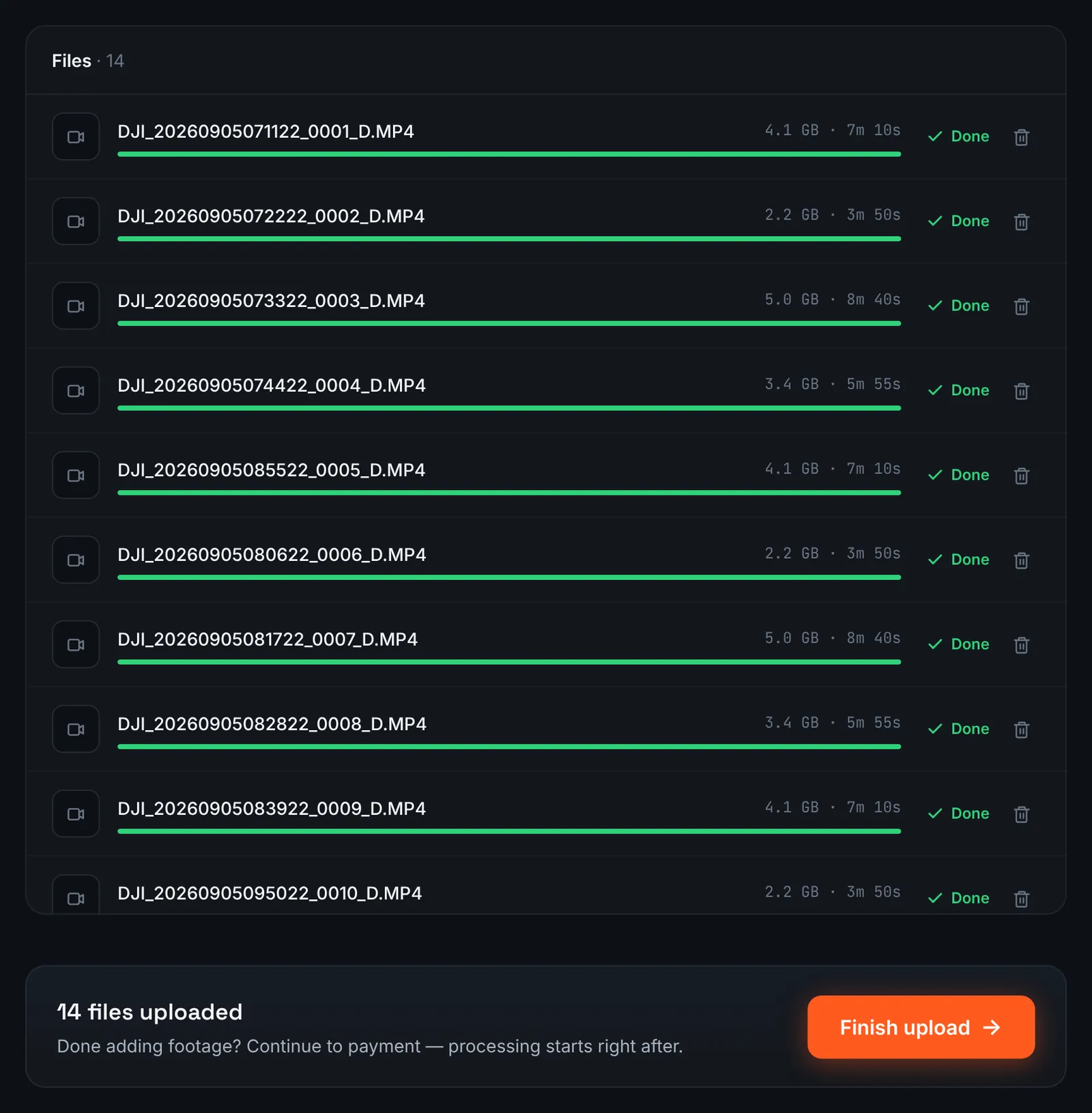
Wide and tele flights from one day, uploaded together. -
Or point RawClip at the flights in Google Drive
Large 4K and 6K files are often already archived in Google Drive. Share the folder with "Anyone with the link", choose Google Drive link in RawClip and paste the address; the files are fetched server to server.
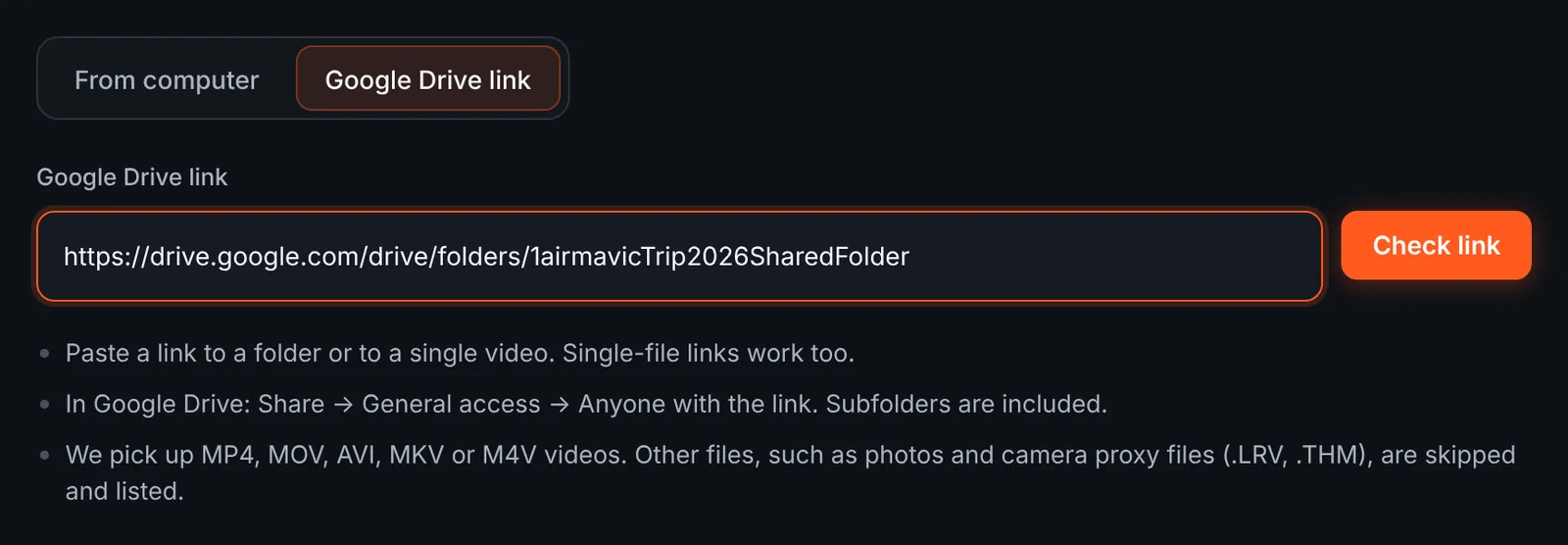
Sending a Drive folder of flights. -
Choose the flights from the link
After the check, the flights appear with their lengths and folders, and the total footage updates as you untick clips. Photos taken between flights are skipped automatically and named in the skipped list.
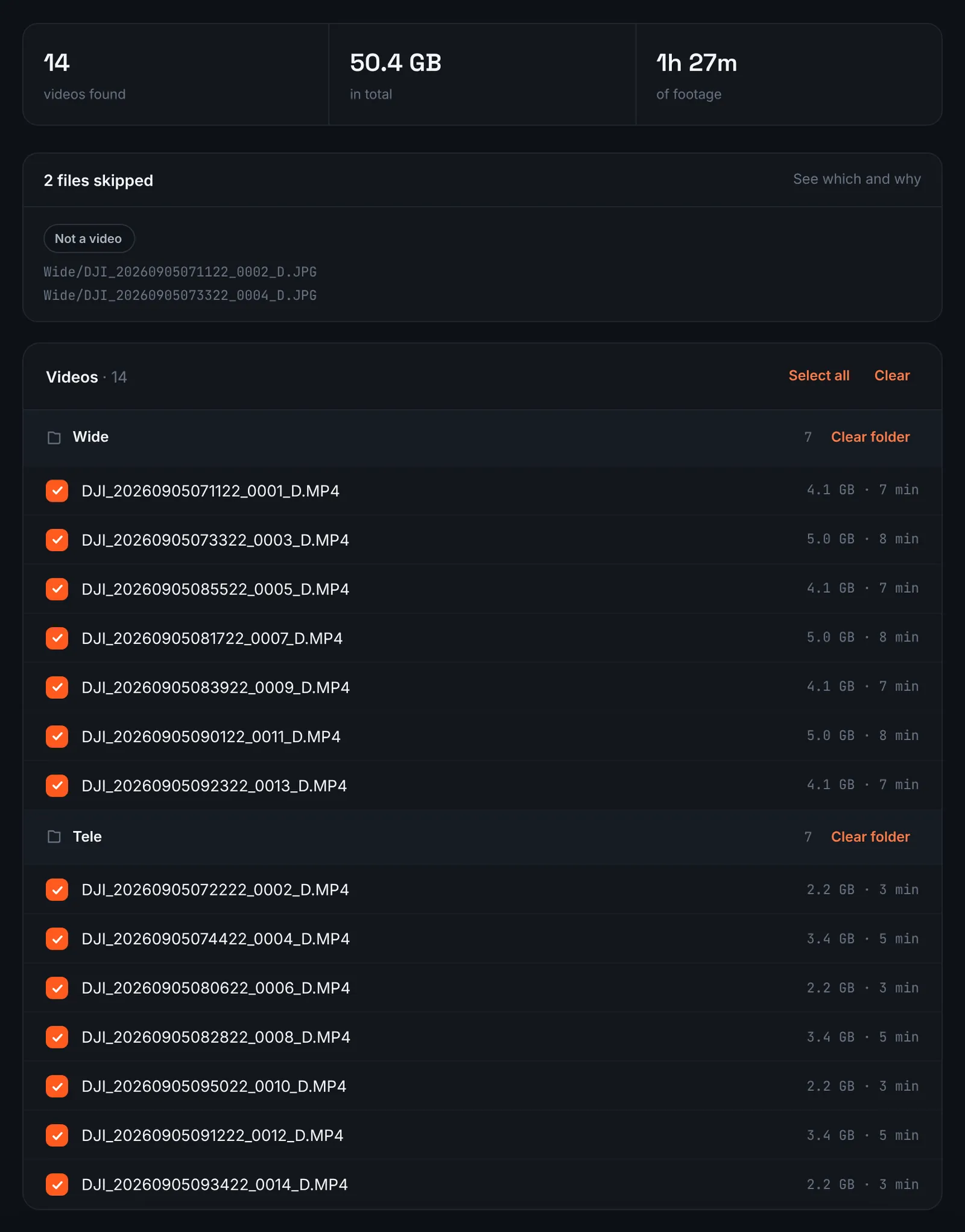
Air and Mavic flights found in Drive. -
Pay and let RawClip analyse the flights
Wide and tele flights together set the price, because only the total recorded time counts ($9.90 for up to 1 hour, $19.90 for up to 6 hours, $39.90 for up to 12 hours, $79.90 for up to 24 hours). Orders under 1h of footage are processed first and paid later: you watch a watermarked 480p preview and pay only to unlock the 4K and 1080p files. Once paid, the flights are analysed automatically and an email arrives when they are done.
-
Decide how long the highlight runs
Long tele passes and slow reveals give the analysis many candidate moments, so a big day of flying usually produces a long list of quality levels. Each shows how many clips it uses and the approximate duration; choose by where the video will be shown rather than by a fixed number.
For 3 days after the highlight is ready you can re-cut it to another length or switch the music on or off without a new upload: the first 3 re-cuts are free, each one after that is $2.90.
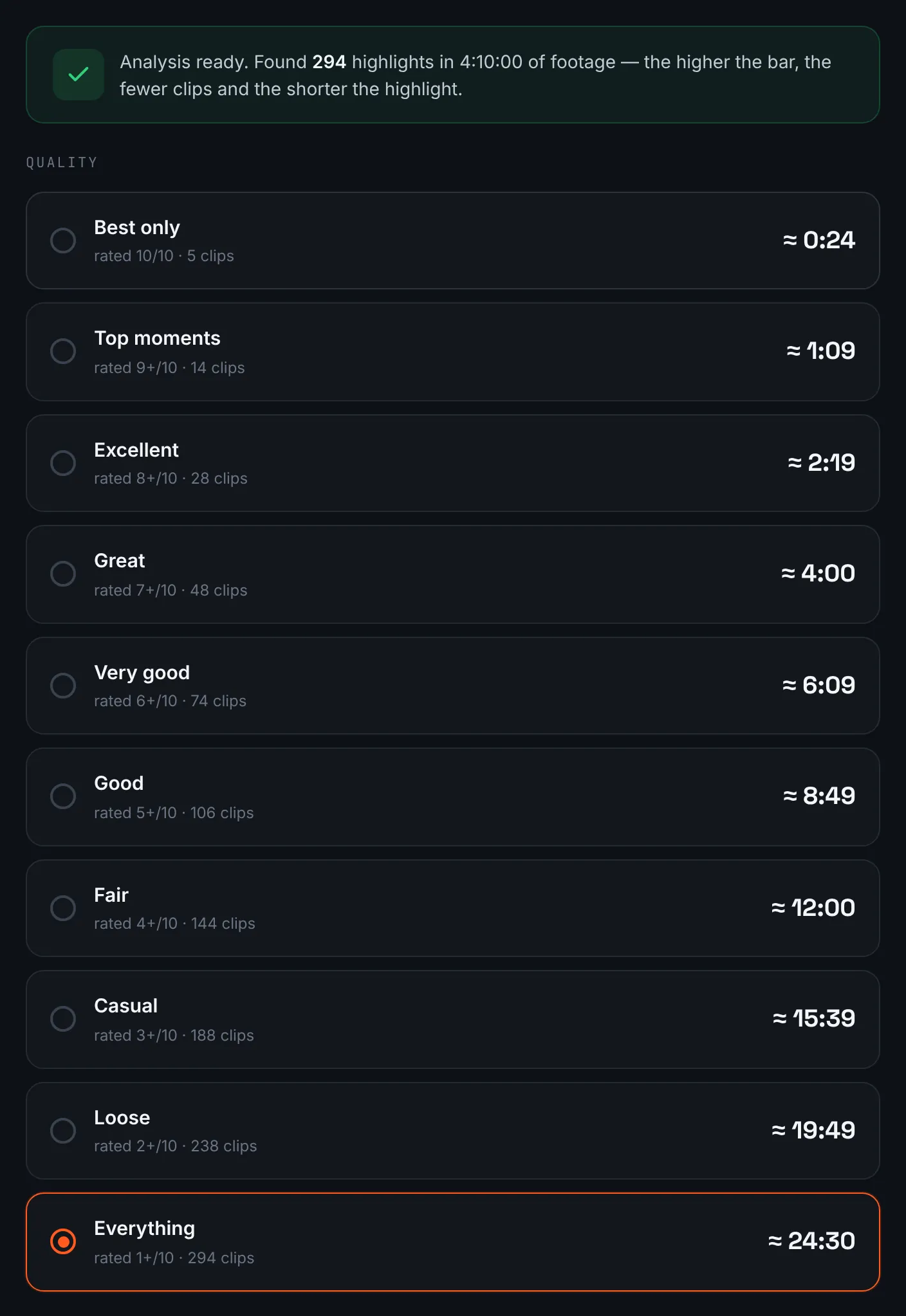
A long day of flying gives a wide range of lengths. -
Download in 4K and 1080p
The aerial highlight waits on the result page as a 4K master and a 1080p copy for messaging, with a share link beside them, all kept for 14 days.
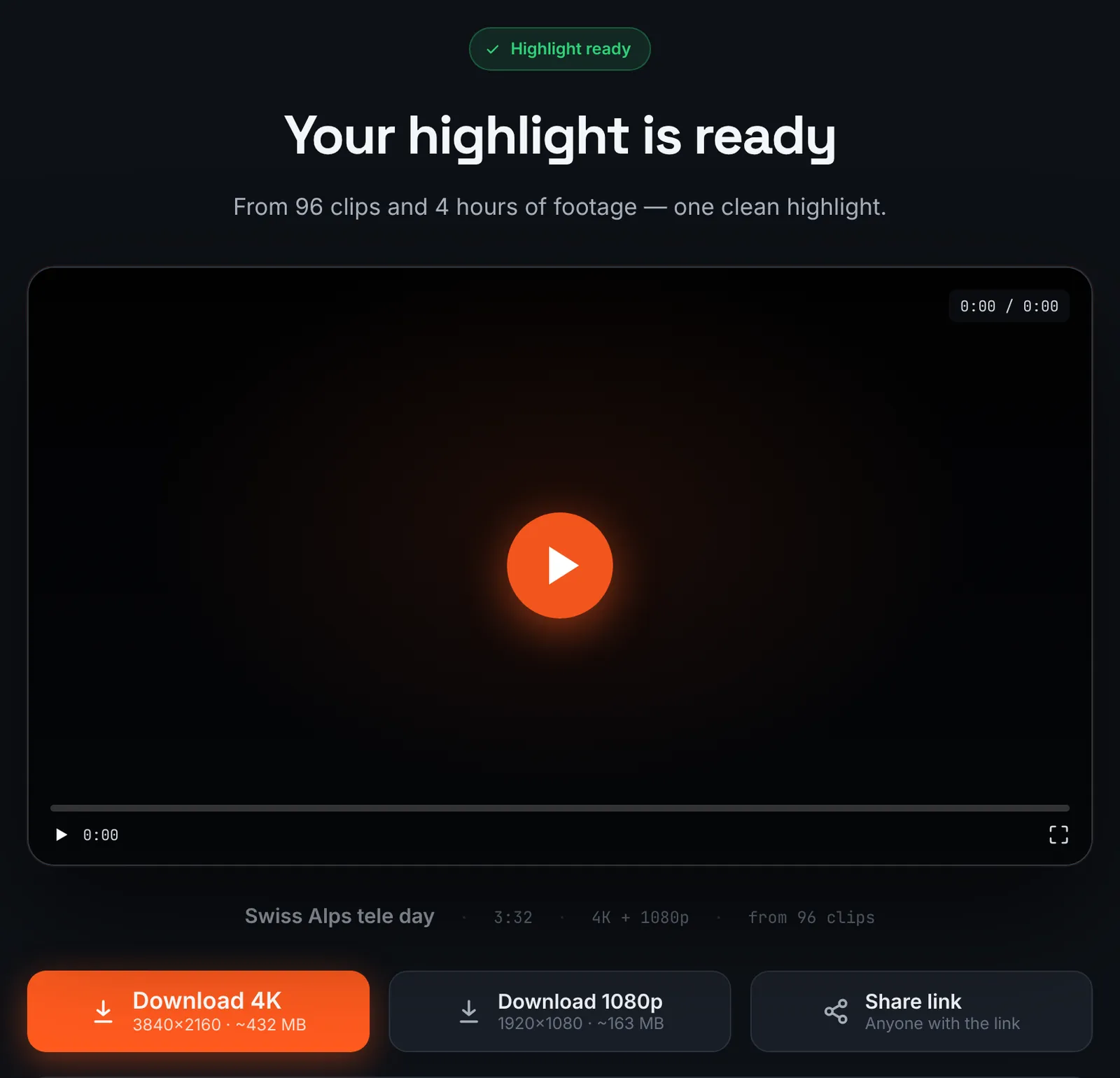
The finished aerial highlight.
Common mistakes and how to fix them
- The highlight looks grey
- D-Log M clips were uploaded without a grade. Apply the LUT and upload the graded exports.
- Only wide shots appear
- The tele clips stayed in internal storage. Copy them over USB and add them to the order.
- Motion looks jittery in sunlight
- Use an ND filter so the shutter stays near double the frame rate.
- A vertical clip with black bars
- These drones shoot 9:16 too. Keep vertical clips for a separate vertical highlight.
Doing it by hand vs with RawClip
Air and Mavic owners often already grade their footage. The question is whether the assembly is worth doing by hand.
| Aspect | By hand | With RawClip |
|---|---|---|
| Wide and tele mix | You choose the rhythm between lenses | Strong moments from every camera are ranked together |
| Grading | Inside your editor | Before uploading |
| File sizes | Limited by your computer | Up to 24 hours of footage per order |
| Creative choices | Speed ramps, titles, sound design | Length and music |
| Cost | Editor licence and your time | $9.90 for up to 1 hour, $19.90 for up to 6 hours, $39.90 for up to 12 hours, $79.90 for up to 24 hours |
A commissioned aerial film deserves a timeline. A recap of a trip shot on a Mavic, with dozens of flights, is quicker and often tighter as an automatic highlight.
Try it with your own footage
Orders under 1h of footage are processed first and paid later: you watch a watermarked 480p preview and pay only to unlock the 4K and 1080p files. Pricing is per order and depends only on how much footage you send: $9.90 for up to 1 hour, $19.90 for up to 6 hours, $39.90 for up to 12 hours, $79.90 for up to 24 hours.