How to make a highlight video from ski and snowboard footage
Published · Updated
Short answer
Film whole runs with a helmet or pole camera, keep spare batteries warm in an inside pocket, and add a few clips of friends riding past. Upload the full week of files to RawClip without cutting the lift rides out, then choose one of the highlight lengths the analysis suggests for your runs.
What you need
- An action camera on a helmet, chest or pole, and spare batteries
- A card reader to copy each day of footage to a laptop
- A browser and a connection that can take a big upload, ideally overnight
- A Google Drive folder, if the group pools its clips there
Step by step
-
Keep batteries warm on the mountain
Cold drains lithium batteries fast, and a camera that dies halfway down the best run is the most common ski filming problem. Carry spares in an inside pocket close to your body and swap them on the lift rather than on the slope. GoPro says its Enduro battery keeps the camera fully working down to -10 °C, which covers most resort days but not the coldest ones.
Fog inside a housing is the other cold-weather trap: keep the camera out of a warm bag right before a run so it does not mist up when it meets the cold air. The housing fog entry has more on this.
-
Mix point of view with friends in frame
A helmet mount (GoPro makes front and side helmet mounts and a strap for vented helmets) shows the line you took, but ten helmet-cam runs in a row look alike. Follow a friend down a run for a follow cam shot, film a few turns with the camera clamped to a ski pole and stop once at the top for a wide view of the valley. That variety is what makes a ski edit watchable.
-
Upload the whole week from your computer
At the end of the trip, copy every card into one folder and drag the lot into a RawClip highlight. Lift rides, queues and traverses can stay in the upload; the analysis spends its effort on finding the turns, jumps and falls worth keeping.
The whole group's cameras can share one order, so the highlight shows everyone and not only your own helmet view.
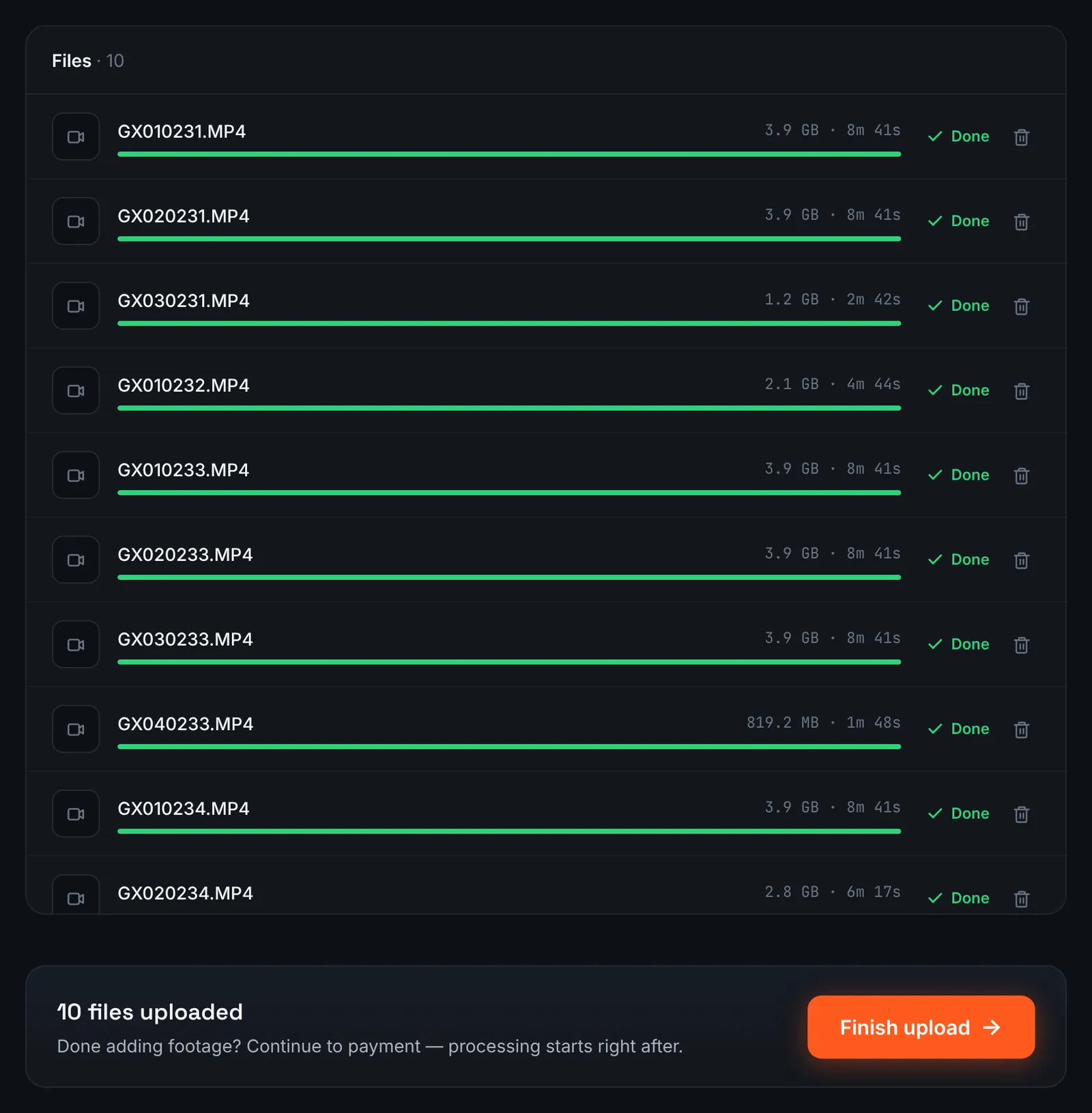
A ski week of helmet-cam chapters uploaded from the laptop. -
Or gather the group's clips in Google Drive
If everyone dropped their files into a shared Google Drive folder, make the folder viewable by "Anyone with the link", pick Google Drive link in RawClip and paste it. Subfolders per person or per day are read too.
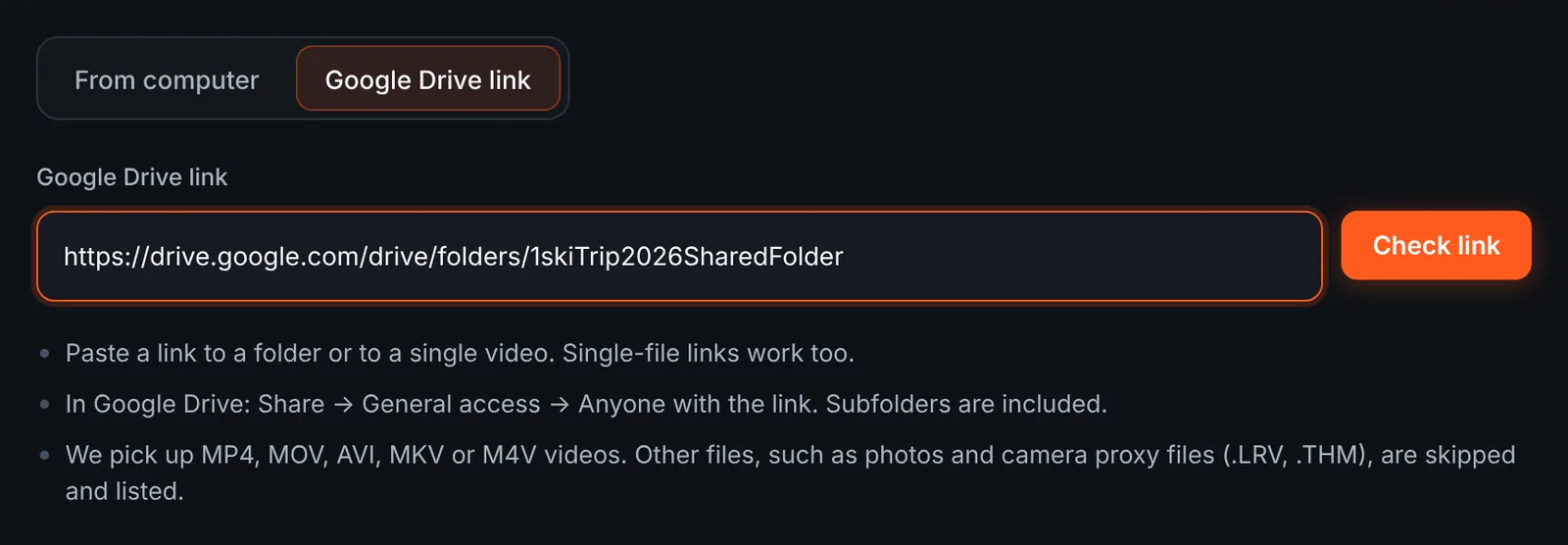
The group's shared ski folder as the source. -
Review the runs in the shared folder
Every video in the folder is listed by day or by rider, with its length and the total. Proxy and thumbnail files are skipped automatically. Untick the runs you would rather not see and start the download.
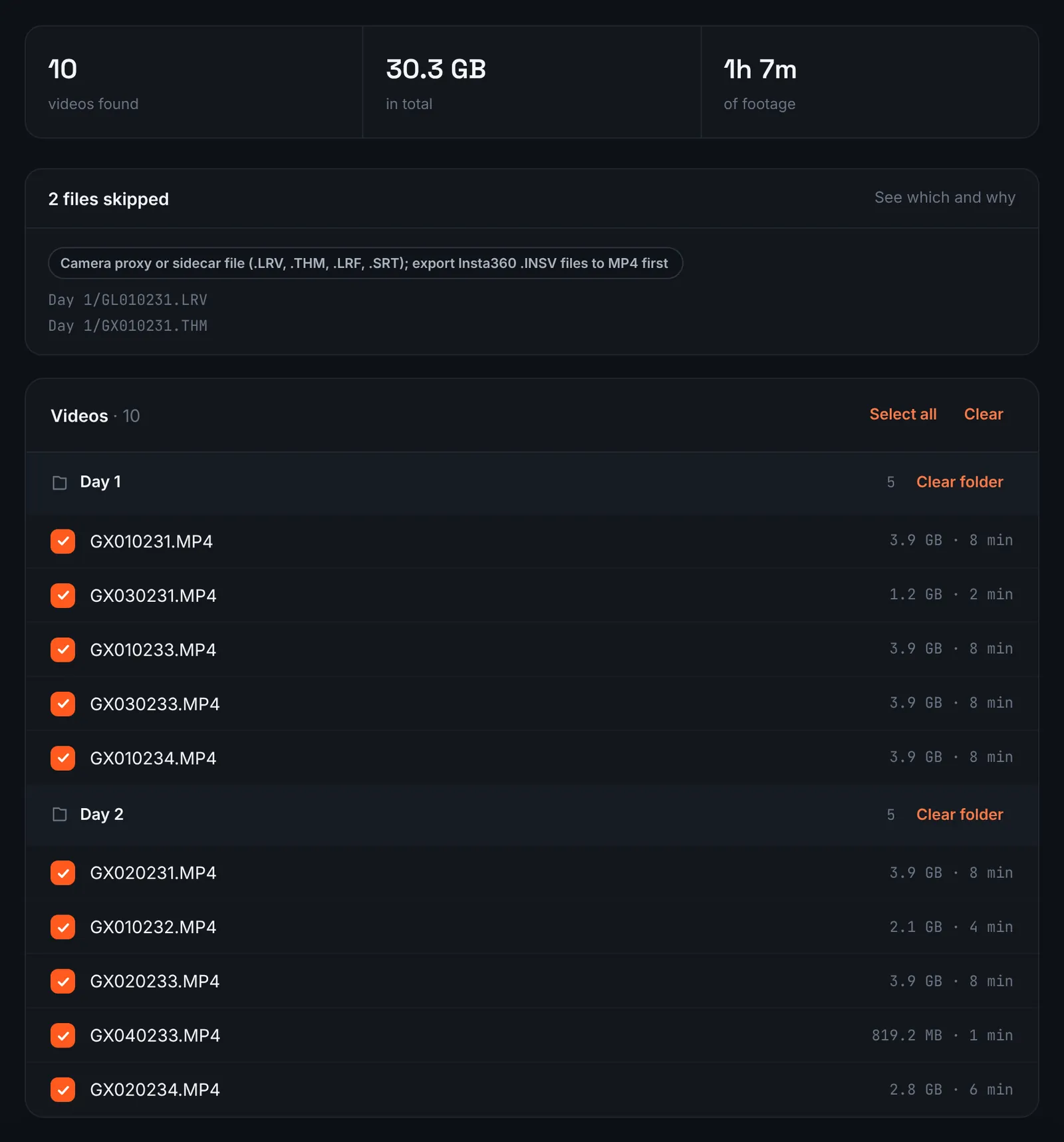
Ski runs from the shared folder, grouped by day. -
Pay for the ski days
A week on the slopes is priced by its total footage, lift rides included, so there is no gain in trimming first: $9.90 for up to 1 hour, $19.90 for up to 6 hours, $39.90 for up to 12 hours, $79.90 for up to 24 hours. Orders under 1h of footage are processed first and paid later: you watch a watermarked 480p preview and pay only to unlock the 4K and 1080p files. The analysis then goes through every run on its own.
-
Choose a length from the offered options
A ski week can hold hours of riding, so the list of quality levels is usually long: from a short cut of only the best turns and airs to a long recap that keeps most of the trip. Each option shows its clip count and estimated duration.
For 3 days after the highlight is ready you can re-cut it to another length or switch the music on or off without a new upload: the first 3 re-cuts are free, each one after that is $2.90.
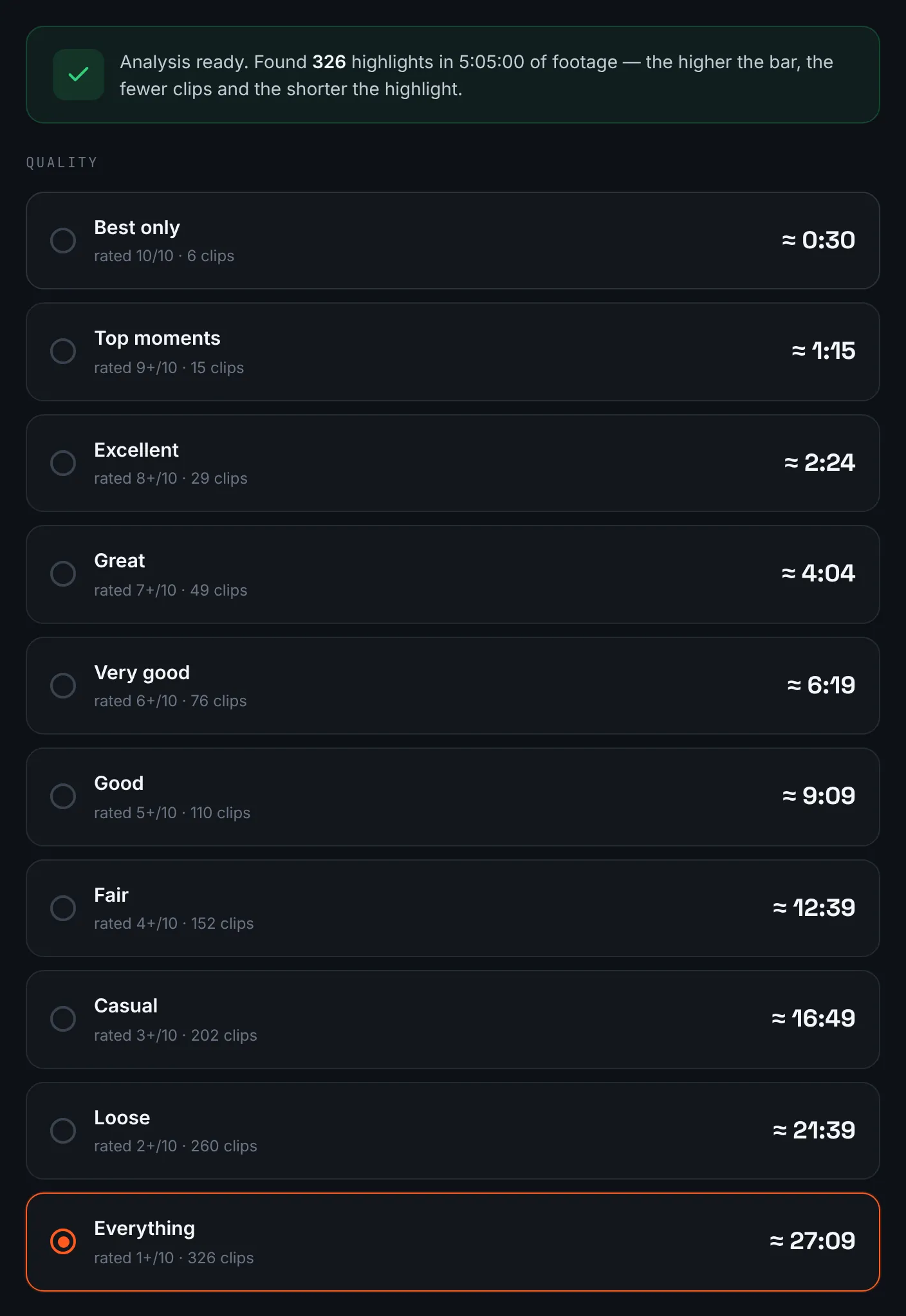
Lengths offered for a week of ski footage. -
Download and send it to the group
Drop the share link into the group chat on the drive home, and download the 4K file for yourself within 14 days.

The ski week highlight, ready to share.
Common mistakes and how to fix them
- The camera died on the best run
- Cold battery. Keep spares warm inside your jacket and change them on the chairlift.
- Bright snow, dark faces
- Snow fools exposure. Use exposure compensation upward a little, or keep a warm white balance so the snow does not turn blue.
- Misted-up housing
- Moving the camera from a warm pocket into the cold makes it fog. Let it acclimatise, or use anti-fog inserts.
- Ten identical helmet runs
- Add other angles: a friend following, a pole camera, a static shot of the lift. Variety keeps the edit alive.
Doing it by hand vs with RawClip
Ski footage piles up faster than any other: several hours a day, mostly lift rides and traverses.
| Aspect | By hand | With RawClip |
|---|---|---|
| Hours of footage | Several evenings of scrubbing | One upload for the whole trip |
| Group footage | Collect, rename and sync by hand | Everyone's clips in one order |
| Choosing runs | You pick the best turns yourself | Moments ranked across the week |
| Extras | Slow motion, titles, map overlays | Length and music |
| Cost | Your evenings after skiing | $9.90 for up to 1 hour, $19.90 for up to 6 hours, $39.90 for up to 12 hours, $79.90 for up to 24 hours |
Hand editing pays off for one big line you want to frame carefully. For a week in the mountains with a group, an automatic highlight gets to the good runs without the evenings in front of a timeline.
Try it with your own footage
Orders under 1h of footage are processed first and paid later: you watch a watermarked 480p preview and pay only to unlock the 4K and 1080p files. Pricing is per order and depends only on how much footage you send: $9.90 for up to 1 hour, $19.90 for up to 6 hours, $39.90 for up to 12 hours, $79.90 for up to 24 hours.